Skip to content

Table management for restaurants

See the whole floor at a glance. Seat anyone in three taps.

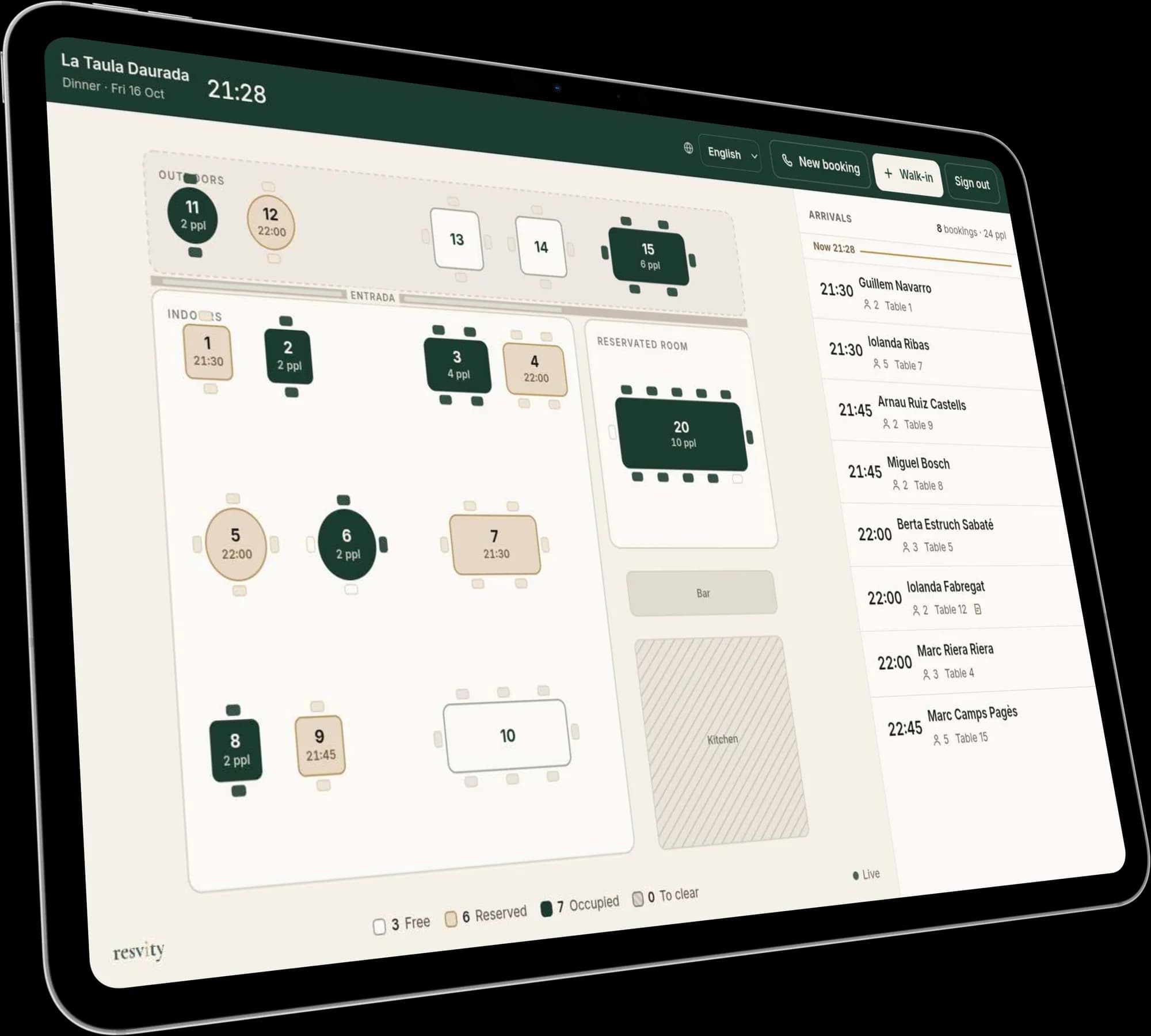
One tablet shows every table on your own floor plan, with every booking already on it. Nobody has to go and check the book.

Basic and Pro

Resvity on the floor tablet: the plan with free, booked and occupied tables, and tonight’s arrivals on the right.

Three taps, no confirmations.

Tap the table, tap “Seat”. Moving a party or seating a walk-in is just as short. Anything can be undone for five minutes, so the tablet never asks “are you sure?” mid-service.

  • A walk-in? It suggests a free table and until when it’s free
  • Every table says free, booked, seated or to clear, in words as well as colours
  • Signs in once and stays signed in for 90 days, with service actions only
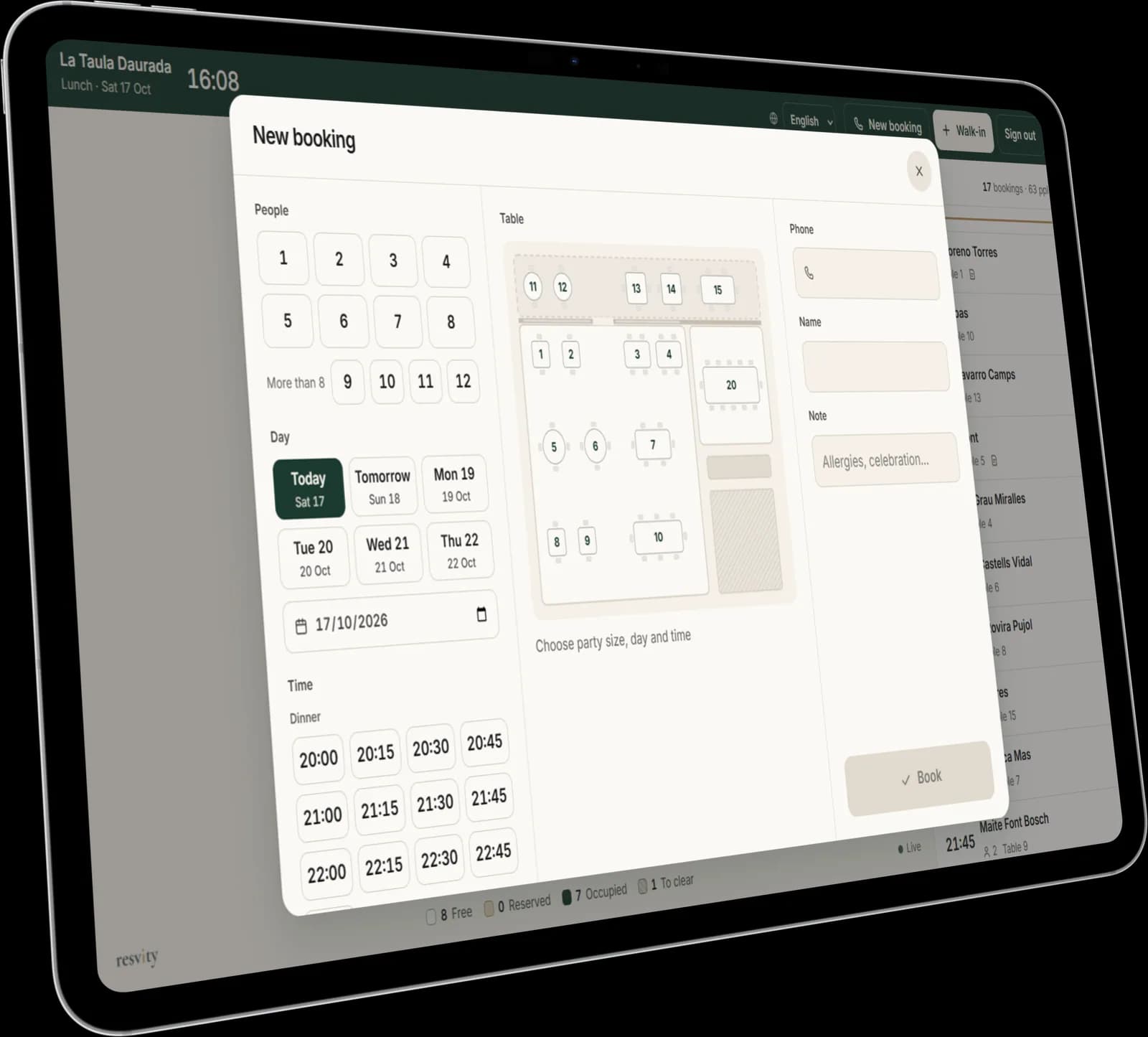
A table tapped on the tablet, with the “Seat” button.

Late tables and likely no-shows, flagged for you.

When a booking is late, the tablet says so. Past the time you choose (30 minutes by default), it marks it as a probable no-show, so you can decide whether to give the table to someone who is waiting. Nothing is cancelled on its own.

Today, from anywhere.

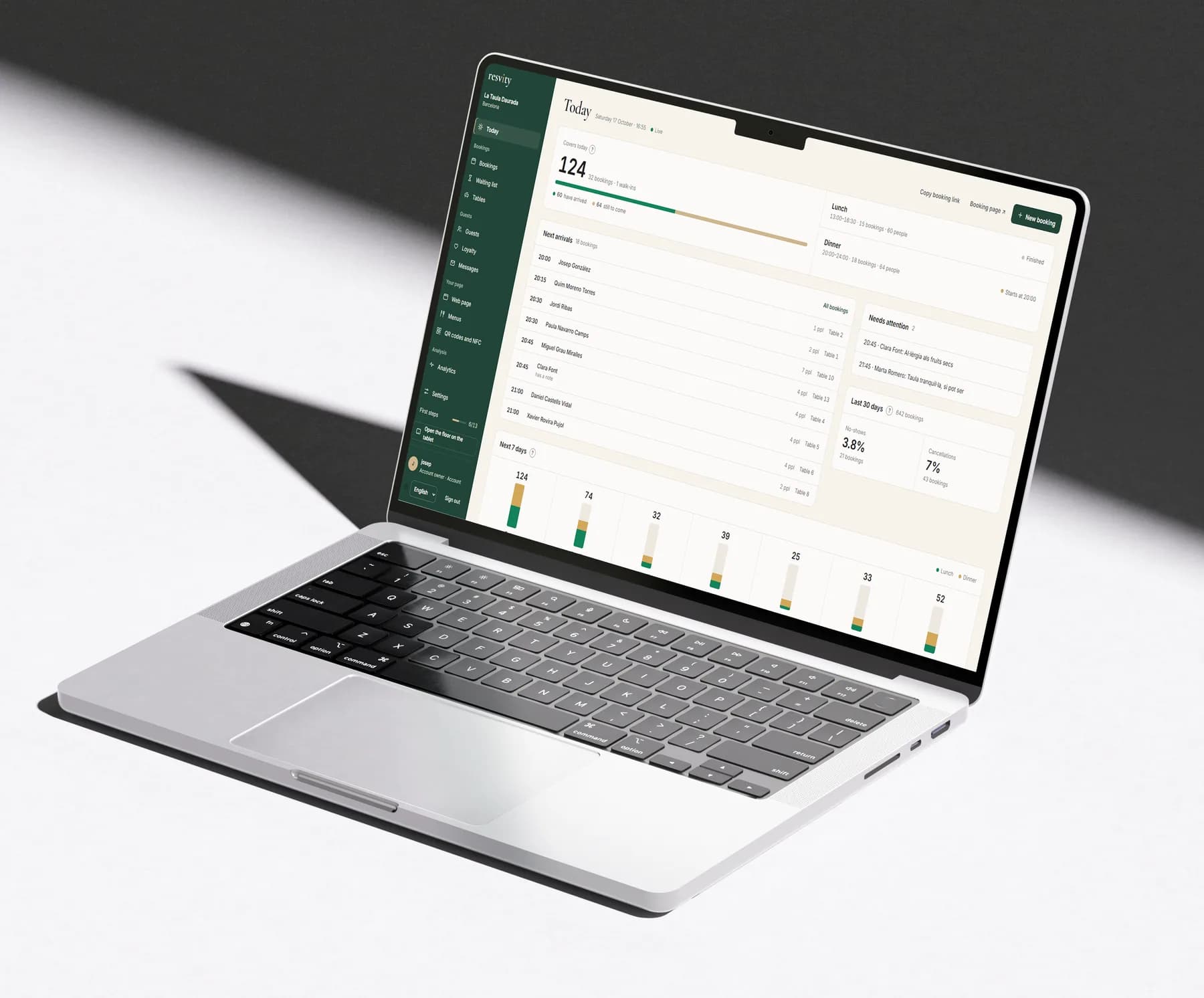
From a computer or a phone, the dashboard shows how many people are coming today, who has arrived, what needs attention and how the next seven days look.

  • Lunch and dinner, each with its own state
  • No-show and cancellation rates for the last 30 days
  • New bookings from the dashboard too, with the same rules
The restaurant’s dashboard on a laptop: who is coming today and this week.

Pro

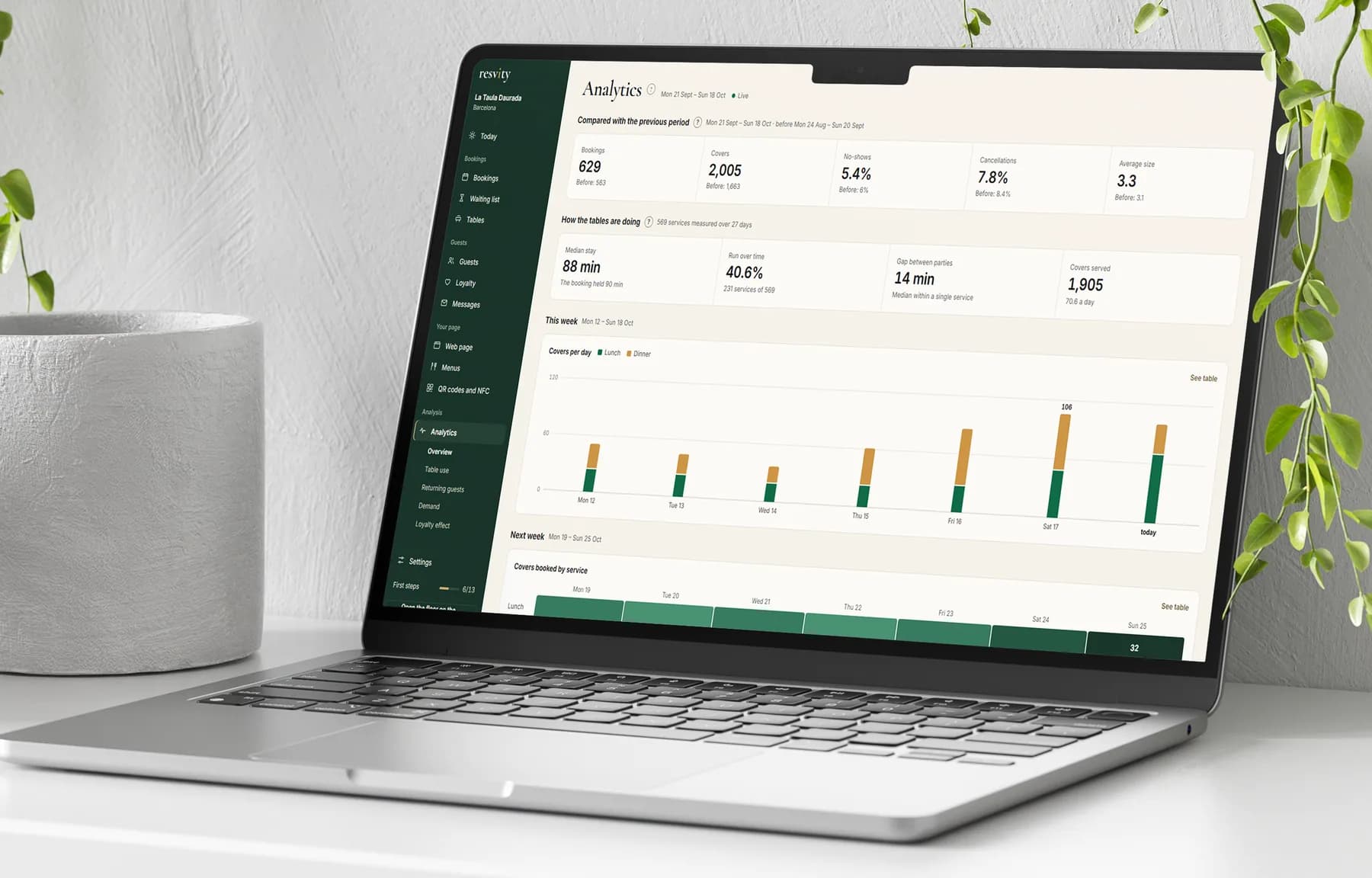
See which tables lose seats.

How long each party really stays, how long each table sits empty, and where couples end up at tables for four. Measured from your own bookings, never estimated.

The restaurant’s analytics on a laptop: table usage and returning guests.

A tablet you probably already have.

  • Any recent tablet

    Used in landscape, with a browser. Nothing to install.

  • Your floor, drawn for you

    Rooms, terrace, bar and the shape of every table. Or simply numbered tables, if you prefer.

  • An internet connection

    The tablet checks for new bookings every 2 seconds. Without a connection, it doesn’t update.

About the floor.

Does the tablet decide who sits where?
No. It suggests a free table for a walk-in; your team decides.
What if we make a mistake mid-service?
Undo it. Seating, moving or marking a no-show can be undone for five minutes.
Can I change the floor plan myself?
Yes, from the dashboard: add or move tables, rooms and fixed elements, and tag tables (window, terrace). Or ask us and we draw it for you.

See your own floor on the tablet.

Send us your table layout and we’ll show it in the demo. Nothing to sign.